This article will cover how to use a charge point that is not positioned by the kerbside.
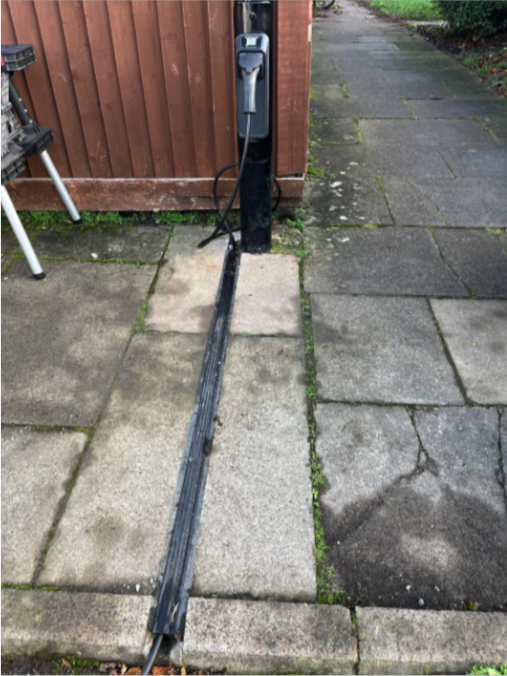
What does a non-kerbside charger look like?
For charge points that are located to the rear of the pedestrian walkway (i.e against a fence/wall/grass), there will be a strip built into the footpath, which will run between the charge point and the kerb side, which can be opened up to reveal a gulley. When using these charge points please be sure to place your cable fully within the gulley, to prevent the cable becoming a trip hazard.
How to use a non-kerbside charger
How to use:
- Connect your cable to the charging socket as normal.
- Lift the lid of the channel and insert your charging cable a handful at a time, ensure all of the cable is inserted, and the lid of the gulley returns to a flush fit with the pavement surface.
- Ensure any excess length of your charging cable is neatly coiled off of the pavement, ideally between your vehicle and the kerbside.
- Plug your cable into your vehicle.
- Start a charge via your char.gy app or browser as normal (see here for more help on this: New to char.gy? Start here!).
If you encounter any issues with the charge point, or the gulley system (such as damage to the lid, or the gulley being blocked) please report these within either the Char.gy app, by emailing us at support@char,gy, or by calling our helpline on 0800 086 9606 and selecting Option 1.